How to Delete Your Account
You can delete your account from the Hashem Affouri website directly through your account settings by following these steps:
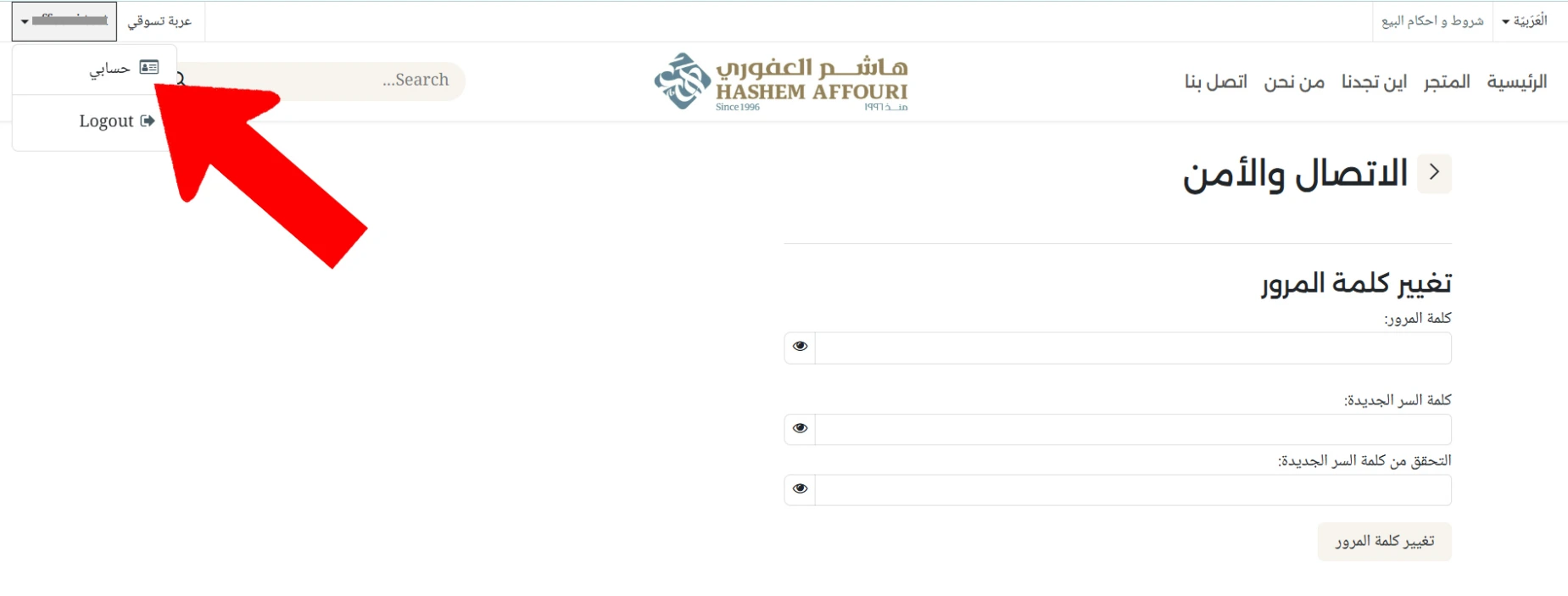
- After logging in, click your account name in the upper-left corner of the page.
- Select My Account from the menu.
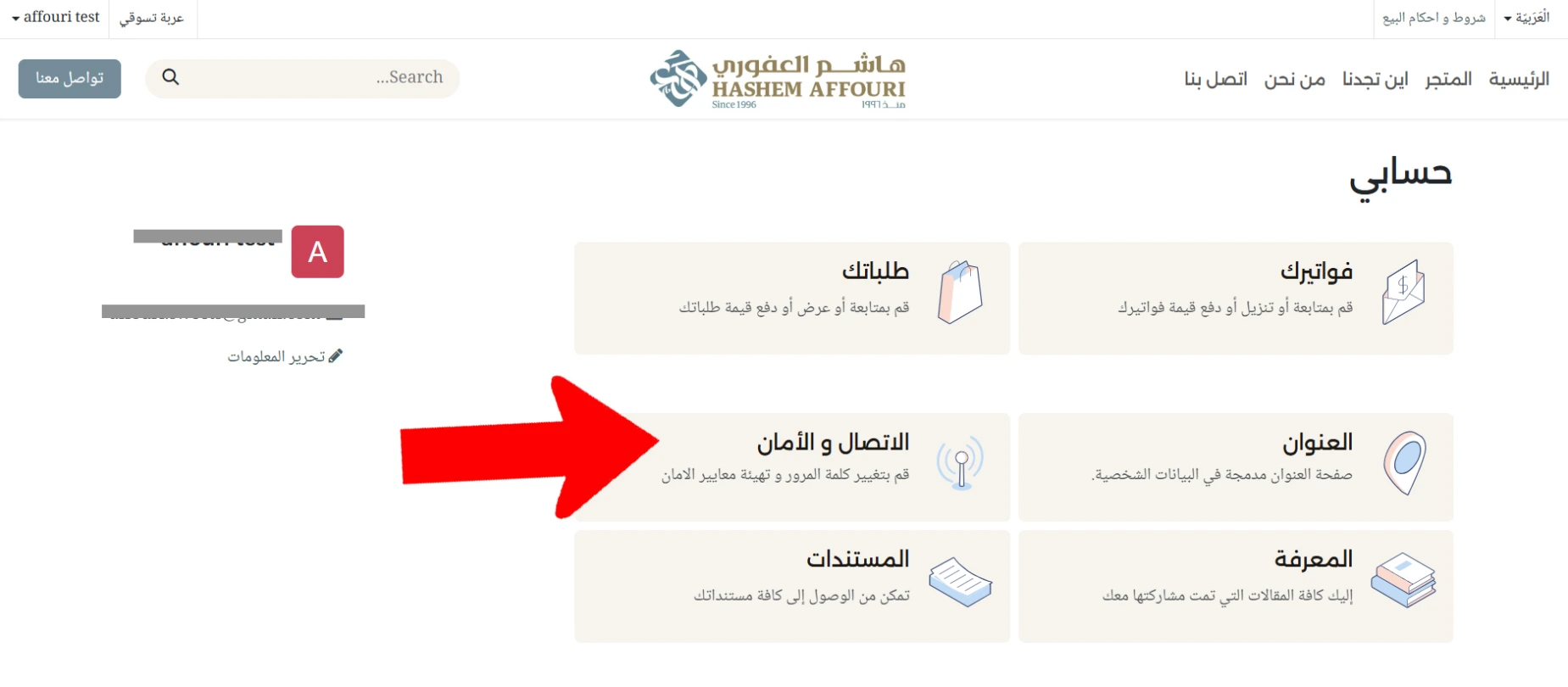
- On your account page, click Connection & Security.
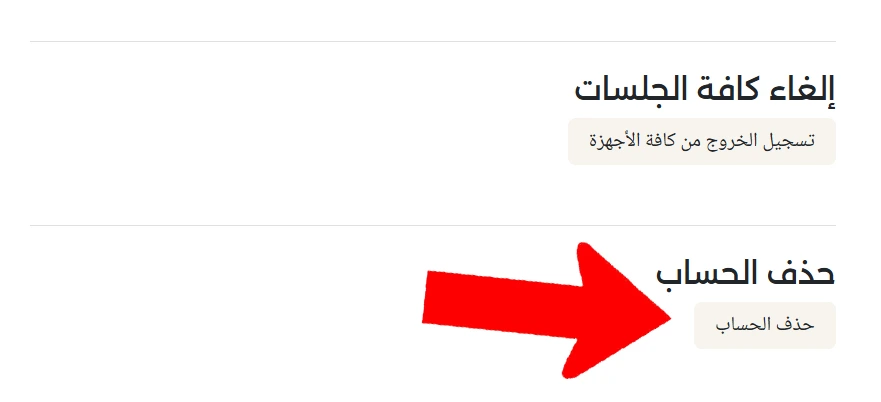
- Scroll to the bottom of the Connection & Security page until you reach the Delete Account section, then click the Delete Account button.
A deletion confirmation screen will appear. To complete the process:
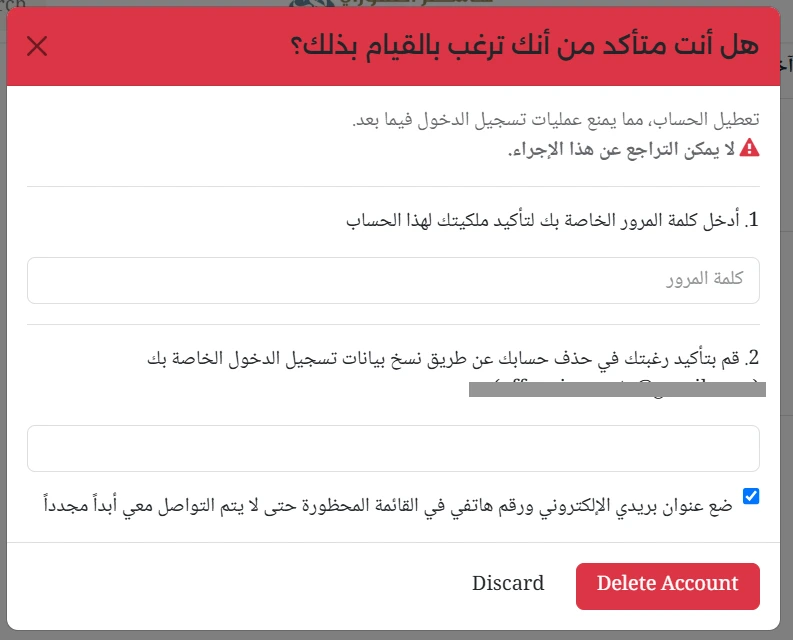
- Enter your account password to confirm that you are the account owner.
- Type the login information displayed on the confirmation screen in the designated field.
- If you do not wish to receive any future communications from us, you may select the option to add your email address and phone number to our do-not-contact list.
- Click Delete Account / حذف الحساب to complete the process.
Warning: Account deletion is permanent and cannot be undone. Once the deletion is completed, you will no longer be able to log in to the account.